Camera or editor
Film camera app or editing app?
A film camera app bakes the look in while you shoot. An editing app adds it later. What each way gives you, when to apply the film look before or after, and how to keep both on your iPhone.
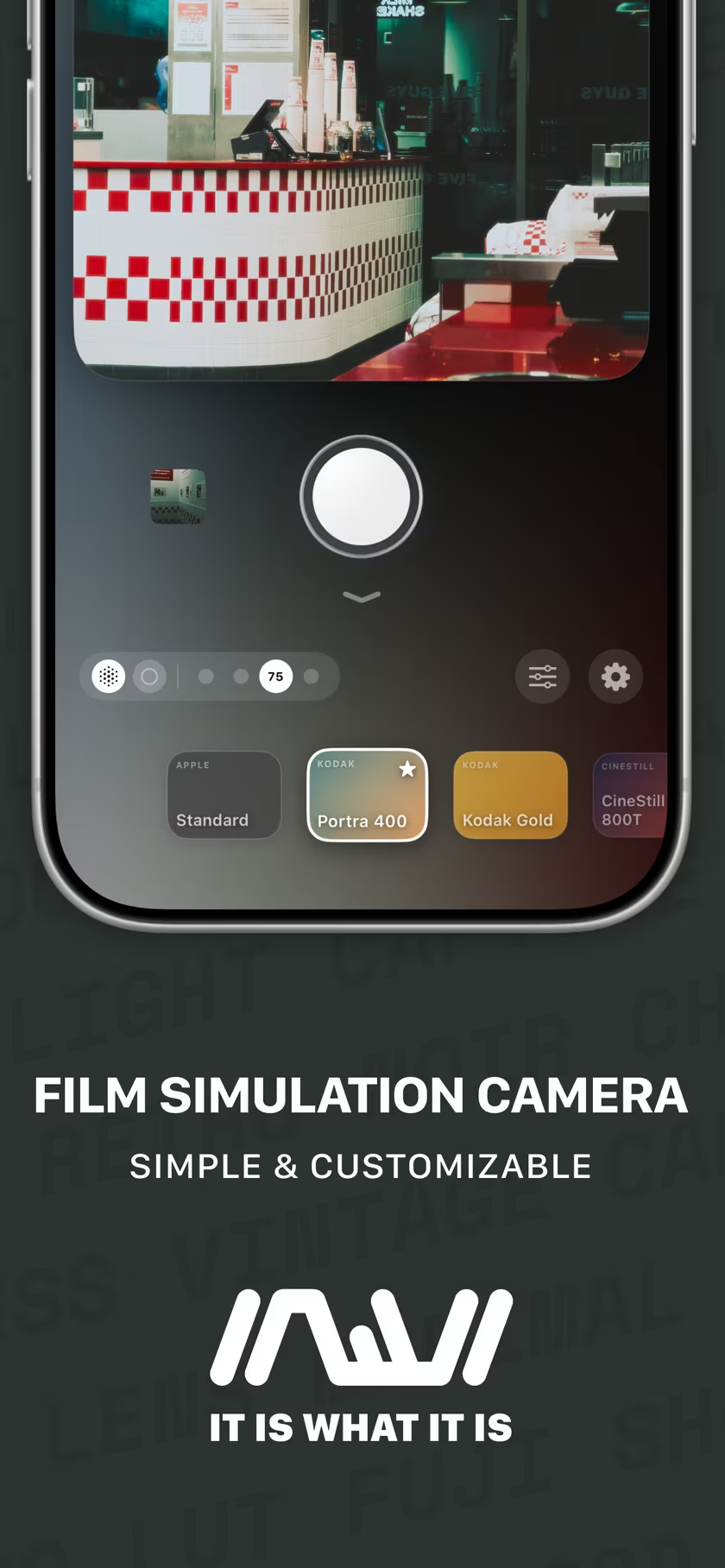
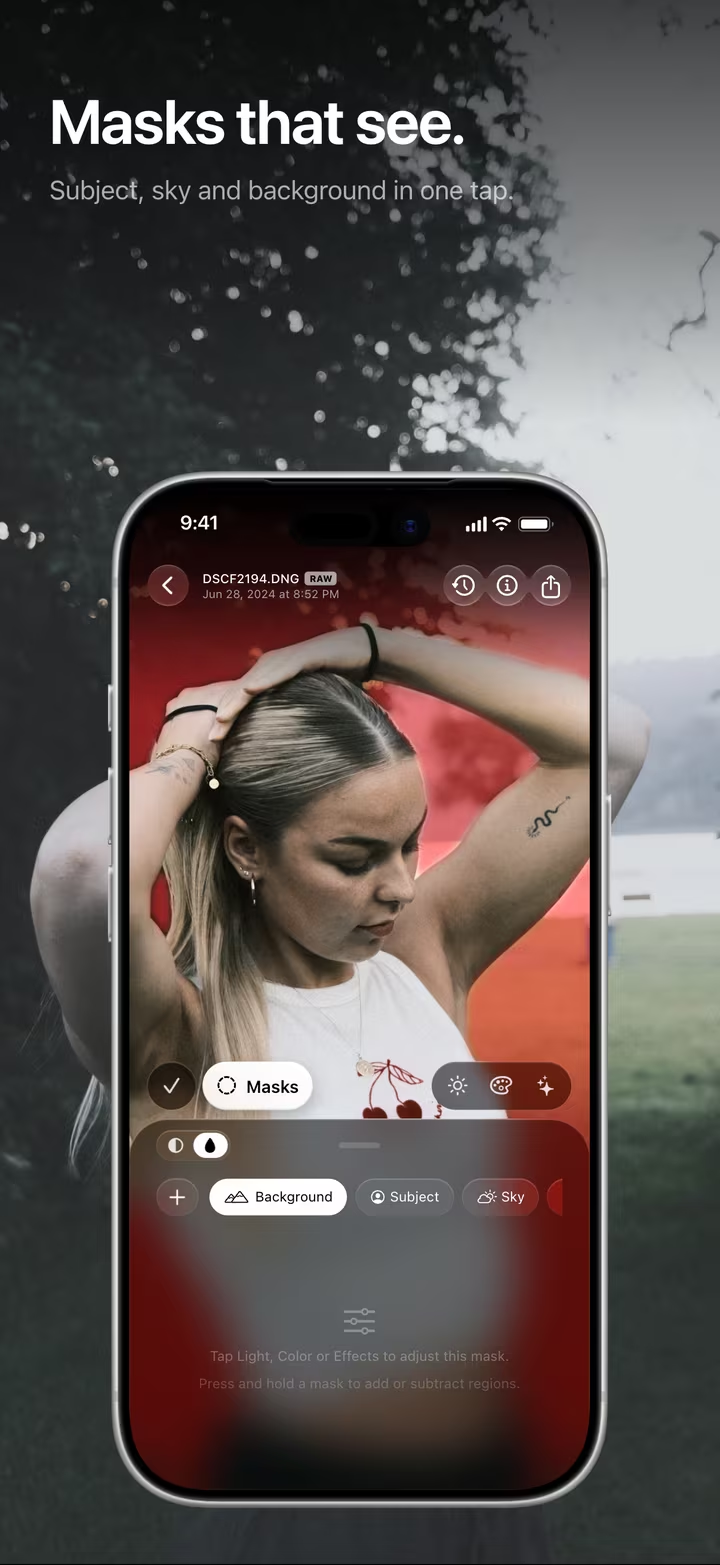
Same looks, two moments.
Before the shutter, or after it.
IIWII is a film filter camera app for iPhone. masoc is a photo and video editor for iPhone, iPad and Mac. Both come from the same developer, and they share 22 looks, built on the very same color tables, from Portra 400 and Kodak Gold to Classic Chrome and CineStill 800T. So the question is not which look. It is when you decide. See all 22 looks.
In the camera: decide on the spot.
What you see is what you keep.
In IIWII, the look runs live in the viewfinder. You see Kodak Gold on the street before you press the shutter, so you frame for the colors you get. Swipe up from the bottom to pick a look, set how strong it is, and the photo lands in your library as a finished HEIF or JPEG. On iOS 18 and later, video records with the look applied, too.
That is the fun of it, and the catch. The look is in the pixels, like a roll of film you can’t swap halfway. IIWII softens this with Throwback on iOS 18 and later: by default it keeps a private original of your last 30 photos, so you can swipe up in the gallery and put a different look on a recent shot. Even Apple moved this way: since iPhone 16 Pro, Photographic Styles can be applied after a photo is taken, or reversed later.
Sources: IIWII’s App Store description and iiwii.info, and Apple Newsroom on iPhone 16 Pro (September 9, 2024), checked in October 2026.
In the editor: decide later.
Nothing is final until you export.
In masoc, your original stays as it is. Pick a look under Looks › Profiles and set its intensity from 0 to 120 percent. Grain is a slider of its own, from 0 to 100. Change your mind next week and pick another look, or none.
Because the look sits on top of a full editor, you can work around it. Add the look first, then bring back a bright sky with a Sky mask or lift a face with Subject. It works on photos from any camera, on RAW files and on video clips, where the look, light and color apply and masks stay with photos. More about film looks in masoc.
Side by side.
What each way gives you.
| Topic | In camera, with IIWII | In the editor, with masoc |
|---|---|---|
| When you choose | Before you press the shutter | Any time after the shot |
| What you see | The look, live in the viewfinder | The look on the photo, next to the original |
| What you get | A finished HEIF or JPEG, ready to share | Your original, untouched, with the edit saved beside it |
| Changing your mind | Throwback restyles your recent shots (iOS 18 and later) | Always, on every photo |
| Strength | Adjustable per look | 0 to 120 percent, per photo |
| Local edits | None, the look covers the frame | Masks: Subject, Sky, Background, Brush, Linear and Radial Gradient |
| Photos it works on | What you shoot with IIWII | Any photo, RAW from cameras, video |
| Video | Look applied while you record (iOS 18 and later) | Look and color on any clip, Log included |
| Devices | iPhone, iOS 15 and later, all features from iOS 18 | iPhone, iPad and Mac |
Which one for which situation.
A quick guide, by the kind of day you are having.
A walk, a trip, a night out
In camera.
You want photos you can send the same evening, and the look helps you see the light while you frame.
You want to learn one look
In camera.
Pick one look for a week, like a roll of film. Sticking with it shows you how it reacts to every kind of light.
Photos from a Fujifilm, Sony or older phone
In the editor.
masoc puts the same looks on any file, RAW included.
Tricky light or a bright sky
In the editor.
Add the look, then bring the sky back with a Sky mask or lift a face with Subject.
A whole set that has to match
In the editor.
Edit one photo, Copy Settings, select the rest in the library and Paste Settings.
Video
Either.
IIWII records with the look live. masoc grades a clip afterwards, Log footage too.
You can’t decide
Both.
Shoot with RAW+ and keep the finished photo and the RAW.
Or both: shoot with RAW+.
Keep the finished photo. Keep the RAW.
- Turn on RAW+ in IIWII under Settings › Processing & Export, with DNG as the RAW format.
- Shoot with a look. You get the finished photo and a DNG alongside it.
- Share the finished photo right away, if you like it.
- Open the DNG in masoc later, pick the same look under Looks › Profiles, and refine it with masks and curves.
The look is built from the same color table in both apps. Your result can still differ a little, because masoc starts from the RAW instead of the processed photo. The full walkthrough is in iPhone RAW with a film look.
IIWII is a one-time purchase, available now on the App Store. masoc is being prepared for the App Store. Sign up for the newsletter to hear first when it lands.
Questions
- Should I apply a film look before or after taking the photo?
- Apply it before if you want finished photos to share right away and like to see the look while you frame. Apply it after if you want to change your mind, combine the look with masks, or use it on photos from other cameras.
- Can I change the film look after shooting with a film camera app?
- In IIWII on iOS 18 and later, Throwback keeps a private original of your last 30 photos by default, so you can put a different look on a recent shot. In masoc, the original always stays untouched, so you can change or remove the look at any time.
- Do IIWII and masoc use the same film looks?
- Yes. They share 22 looks, built on the very same color tables, and the Fujifilm looks go through the same F-Log2 conversion in both apps. IIWII has eight more looks of its own.
- Can I keep the finished photo and still edit the RAW later?
- Yes. Turn on RAW+ in IIWII under Settings › Processing & Export, and a DNG is saved alongside the finished photo. Open the DNG in masoc later and pick the same look under Looks › Profiles.
Kodak, Portra, Fujifilm, Classic Chrome, F-Log2, CineStill, Sony, Apple, iPhone, Photographic Styles and App Store are trademarks of their respective owners. masoc and IIWII are not affiliated with them.