Glow
Glow, five ways.
masoc 1.4 turns Glow into five styles: Bloom, Diffusion, Halation, Motion and Streak. They are the five Lightroom brought to Camera Raw this year, with the same sliders, so presets with glow keep it.
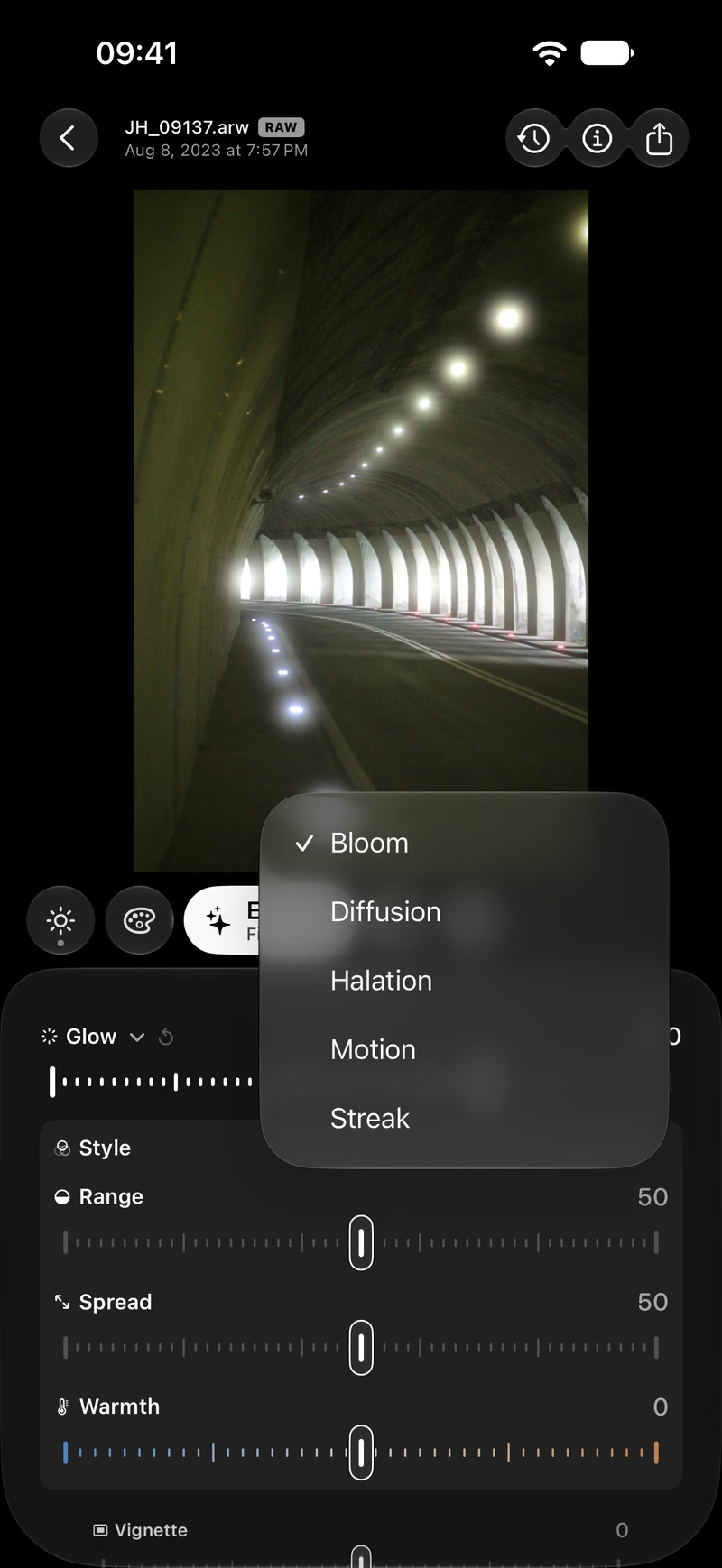
What glow does.
Light that spills past its edges.
A lens, a filter or a film never draws a light as a clean point. Some of it scatters and spills into the dark around it. That spill is what makes a night street feel warm and a backlit portrait feel soft. Glow adds it back.
It starts at the brightest tones and rises steeply toward white: a pure white light glows about thirteen times as much as a tone just below it. So lamps, the sun and neon glow, while skin, walls and a gray sky stay clean. Small specks glow less than large lights, the way they do through real glass.
Five styles.
One night photo, six times.
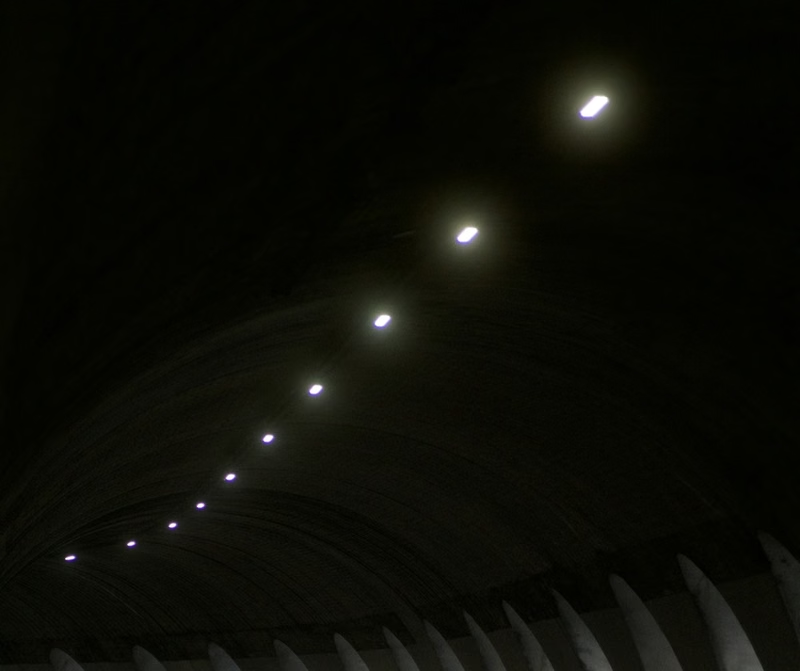
No glow
The photo as it was. Tunnel lights on a dark ceiling.
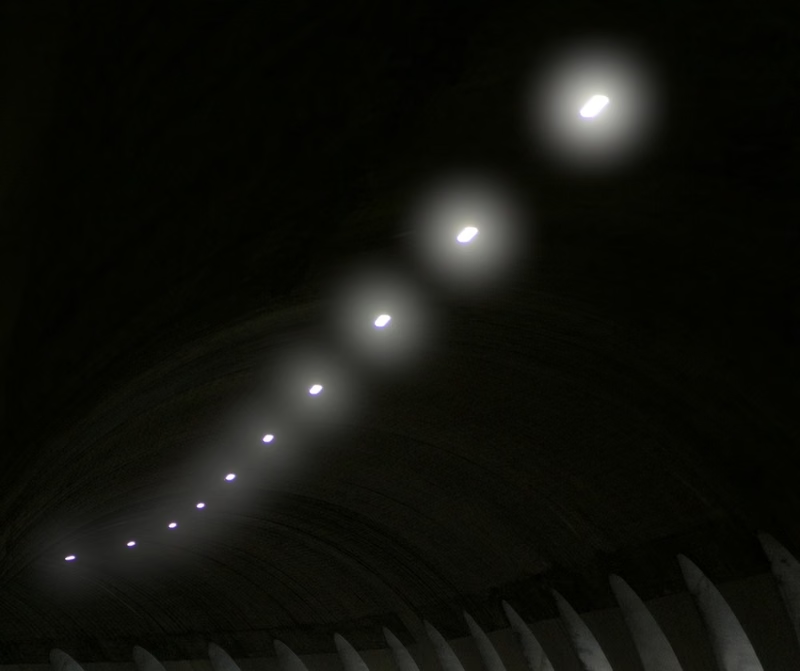
Bloom
A wide, bright halo around every light. The style Lightroom starts with.
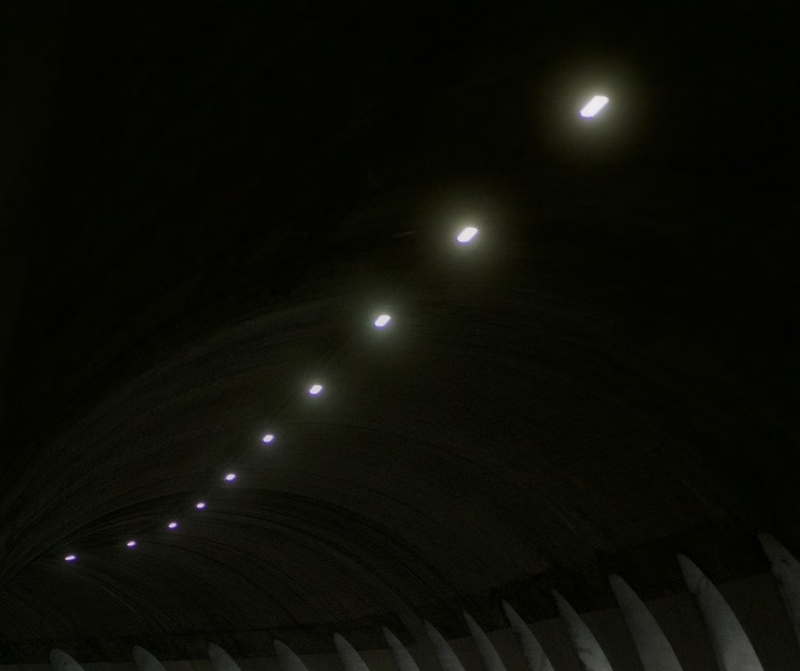
Diffusion
Softens the bright parts and takes the edge off them, like a mist filter in front of the lens.
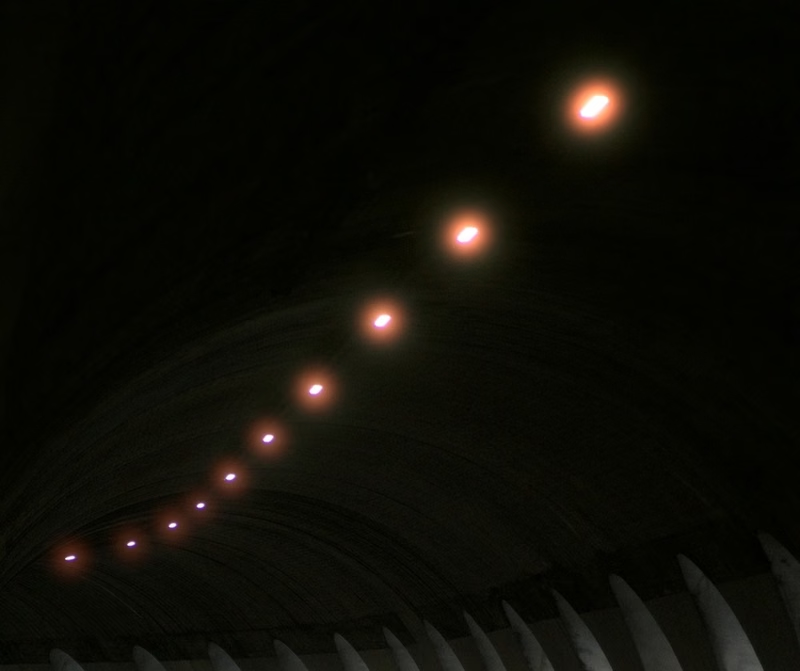
Halation
A tight red-orange rim around the lights, the glow of color film.
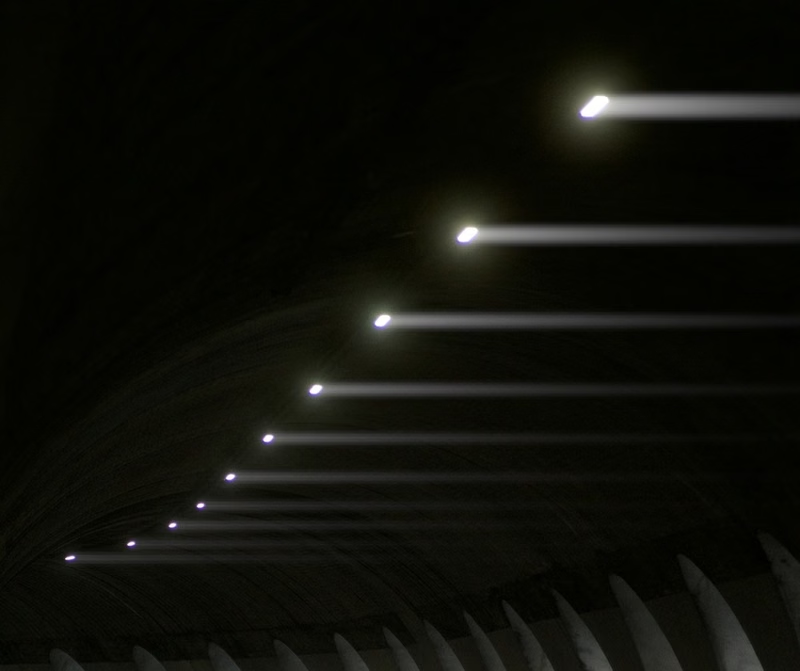
Motion
Light pulled out in one direction, as if the camera moved.
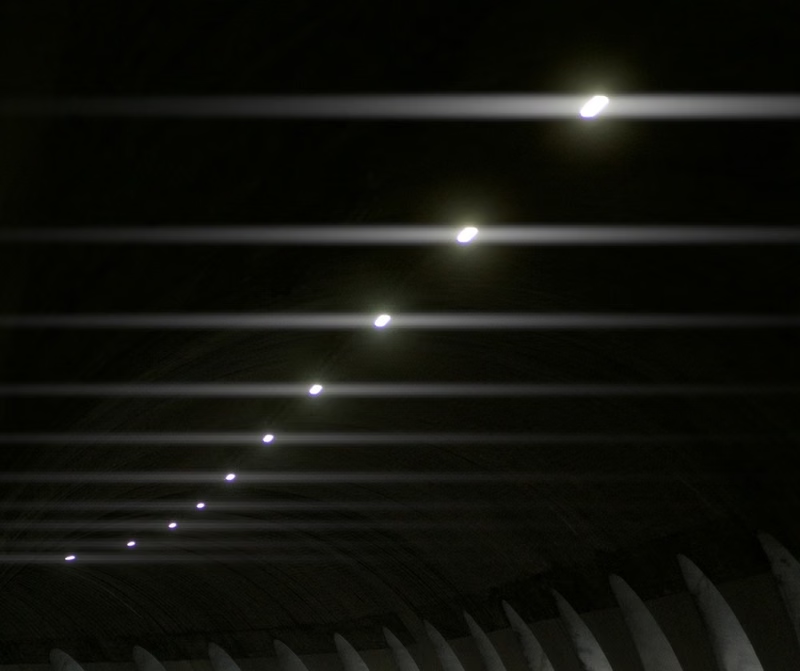
Streak
A line of light through every lamp, out to both sides, like a cinema flare.
Bloom, Motion and Streak add light. Diffusion works the other way: it blends the photo with a softened copy of itself, so it takes a little light out of the brightest spots and lays it around them. Halation adds light too, only red.
The sliders.
Under Effects, in the details of Glow.
- Glow How strong the glow is, from 0 to 100.
- Style Bloom, Diffusion, Halation, Motion or Streak. One style per photo, as in Lightroom.
- Range How far down from white the glow reaches. Low values keep it to the lights, at 100 the whole photo glows.
- Spread How far the glow travels. More spread makes a wider, softer halo from the same light.
- Warmth Tints the glow from cool blue to warm amber.
- Direction Motion and Streak only: the angle of the streaks, from −180° to 180°. 0° points right, 90° down.
- Softness Motion and Streak only: from crisp lines of light to soft, wide trails.
Direction and Softness only appear when a streak style is picked, so the panel stays short. Every size is measured against the long edge of the photo, so the glow looks the same on a 12 and a 48 megapixel file, and the same while you drag, at rest and in the export.
Measured against Lightroom.
Same values, close to the same picture.
We didn’t tune the styles by eye. We rendered test charts and night photos in Camera Raw 19 at many values per style, fitted masoc’s glow to the results, and checked samples in Lightroom 10, which renders glow the same way as Camera Raw.
| Style | masoc vs. Camera Raw | Without glow |
|---|---|---|
| Halation | 0.3 | 0.8 |
| Diffusion | 0.7 | 1.7 |
| Bloom | 1.3 | 5.1 |
| Motion | 1.8 | 8.3 |
| Streak | 2.8 | 15.2 |
Average difference per pixel in levels of 255, on our test chart with the same values. The second column is how far apart the two would be with no glow in masoc at all, a sense of how much light each style adds. Close, not pixel for pixel: the extremes, Spread or Range at 100 and Streak on a bright daylight photo, are where masoc and Camera Raw drift furthest.
Your presets keep their glow.
In both directions.
Import a Lightroom preset as an .xmp file, and masoc reads its glow: the style, Range, Spread, Warmth, Direction, Softness and the glow inside masks. Export a masoc preset, and all of it goes out the same way. Adobe’s own glow presets, from soft blooms to fast motion, open with their glow in place.
masoc’s Halation tool rides along too. When Glow is off, it leaves as Lightroom’s Halation style, the closest match there is.
Photos you gave a glow before masoc 1.4 keep it exactly as it was. The menu lists it as Classic until you pick one of the new styles. More on moving your presets.
In masks and in video.
More glow here, none there.
Inside a mask, Glow runs from −100 to 100 and adds to the photo’s glow, all in one pass, as in Lightroom. Raise it on the sky to make the sun bloom, or drag it below zero on a face to keep it clear while the lights behind it glow. Style and the other sliders are shared by the whole photo. How masks work in masoc.
Clips get the same Glow under Effects, with all five styles, Motion and Streak included, next to Halation, Grain and Vignette. On photos you can also just ask: type or say “dreamy glow” in Smart Edit and it sets the strength.
Glow or Halation?
masoc has both.
The Halation glow style follows Lightroom, so presets look the same in both apps. The Halation tool, in masoc since 1.1, goes further: you pick the hue, set how bright a light has to be, and it measures the lights before your look, so it keeps its strength under a film look. For a night scene in the spirit of CineStill 800T, the tool is the better pick. For a soft glow over the whole photo, take Bloom or Diffusion.
masoc is on the App Store for iPhone, iPad and Mac, with every tool and three free exports: download masoc.
Lightroom background: PetaPixel on the Camera Raw Glow effect (September 4, 2026) and Adobe’s Lightroom release notes, checked in November 2026. Measurements made with Camera Raw 19 and Lightroom 10 in November 2026.
Questions
- How do I add a glow effect to a photo on iPhone?
- In masoc, open the photo, go to Effects and raise Glow. Open its details to pick a style, Bloom, Diffusion, Halation, Motion or Streak, then set Range, Spread and Warmth.
- What is the difference between Bloom and Diffusion?
- Bloom adds light: a wide, bright halo around lamps and highlights. Diffusion blends the photo with a softened copy, so the brightest parts spread softly and lose their edge, like a mist filter.
- How do I add light streaks to a photo?
- Pick Motion or Streak as the glow style. Motion pulls the light out to one side, Streak to both. Direction sets the angle, Softness how crisp the lines are.
- Do Lightroom presets with glow work in masoc?
- Yes. masoc reads the glow in .xmp presets, with style, Range, Spread, Warmth, Direction, Softness and glow in masks, and writes it back out when you export a preset.
- Can I add glow to video?
- Yes. Clips get Glow under Effects with all five styles, Motion and Streak included, next to Halation, Grain and Vignette.
- How do I get masoc?
- Download it from the App Store for iPhone, iPad and Mac. It’s free to download, with every tool and three free exports. After that, Unlock masoc lets you export as much as you like.
Adobe, Lightroom and Camera Raw are trademarks of Adobe Inc. Apple, iPhone, iPad, Mac and App Store are trademarks of Apple Inc. CineStill is a trademark of its owner. masoc is not affiliated with them.